Real Racing 3 PC Requirements: पूरी गाइड हिंदी में 🚗💨
📌 महत्वपूर्ण: Real Racing 3 को PC पर चलाने के लिए आपको किसी Android emulator की आवश्यकता होगी। यह गाइड आपको सिस्टम requirements से लेकर installation तक की पूरी जानकारी देगी।
Real Racing 3 PC System Requirements - Minimum & Recommended
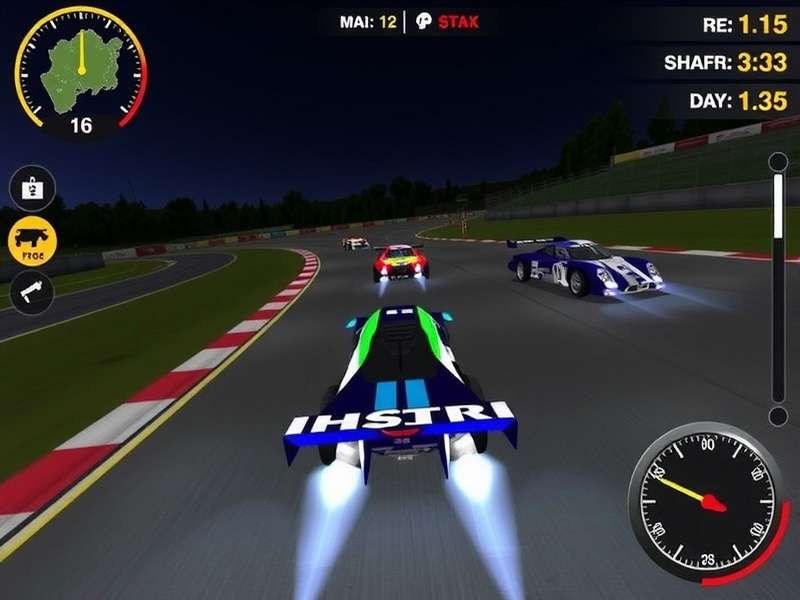
Real Racing 3 एक शानदार racing game है जिसे EA Games ने develop किया है। यह game Android और iOS devices के लिए बनाया गया था, लेकिन PC users भी इसे emulators के through enjoy कर सकते हैं। आइए जानते हैं PC पर Real Racing 3 चलाने के लिए क्या-क्या requirements हैं।
Minimum System Requirements for Real Racing 3 PC
| Component | Minimum Requirements |
|---|---|
| Operating System | Windows 7/8/10/11 (64-bit) |
| Processor | Intel Core i3-3210 या AMD equivalent |
| RAM | 4 GB |
| Graphics Card | Intel HD Graphics 4000 या better |
| Storage | 2.5 GB available space |
| Emulator | BlueStacks 5, LDPlayer, या NoxPlayer |
Recommended System Requirements for Best Experience
| Component | Recommended Requirements |
|---|---|
| Operating System | Windows 10/11 (64-bit) |
| Processor | Intel Core i5-4460 या AMD Ryzen 3 1200 |
| RAM | 8 GB या अधिक |
| Graphics Card | NVIDIA GeForce GTX 660 या AMD Radeon HD 7850 |
| Storage | 5 GB available space (SSD recommended) |
| Emulator | BlueStacks 5 (Latest Version) |
Real Racing 3 PC Installation Guide - Step by Step
PC पर Real Racing 3 install करना बहुत आसान है। नीचे दिए गए steps follow करें:
Step 1: Android Emulator Download करें
सबसे पहले किसी अच्छे Android emulator को download करें। हम BlueStacks 5 recommend करते हैं क्योंकि यह gaming के लिए optimize किया गया है।
Step 2: Emulator Install करें
Download किए गए emulator को install करें। Installation process के दौरान सभी default settings accept करें।
Step 3: Google Account Login करें
Emulator open करने के बाद, अपने Google account से login करें। इससे आप Play Store access कर पाएंगे।
Step 4: Real Racing 3 Download करें
Play Store में जाकर "Real Racing 3" search करें और install button पर click करें।
Step 5: Game Launch करें
Installation complete होने के बाद, game launch करें और enjoy करें! 🎮
💡 Pro Tip: Better performance के लिए emulator के graphics settings में OpenGL mode select करें और resolution को 1920x1080 पर set करें।
Real Racing 3 Gameplay Features और Highlights
Real Racing 3 में आपको मिलेंगे:
- ✅ 40+ Real Tracks: Real world के famous racing tracks
- ✅ 200+ Licensed Cars: Ferrari, Porsche, Lamborghini जैसी luxury cars
- ✅ Real-time Multiplayer Racing: दुनिया भर के players के साथ race
- ✅ Stunning Graphics: Console-level graphics और visual effects
- ✅ Regular Updates: New cars और tracks के साथ frequent updates
Performance Optimization Tips for PC
PC पर Real Racing 3 का best performance पाने के लिए इन tips को follow करें:
Graphics Settings Optimization
Emulator के graphics settings में high performance mode select करें। Anti-aliasing और shadow effects को disable करने से performance improve होता है।
System Resources Management
Game play करते समय unnecessary applications को close कर दें। इससे system के resources free होते हैं और game smooth चलता है।
Driver Updates
Regularly अपने graphics card drivers update करते रहें। Latest drivers better compatibility और performance provide करते हैं।
आपकी राय हमारे लिए महत्वपूर्ण है 💬