🏁 Real Racing 3 on PC: An Evolution of Mobile Racing
When Real Racing 3 burst onto the mobile scene in 2013, it redefined what was possible on handheld devices. Developed by Firemonkeys Studios and published by EA, it brought console-quality graphics, real-world tracks, and authentic handling to smartphones. Fast forward to today, and the demand for a native Real Racing 3 PC experience has skyrocketed. While EA hasn't released an official desktop version, the community has found ingenious ways to bring this racing masterpiece to larger screens, primarily through Android emulators. This guide dives deep into the why, the how, and the ultimate experience of playing RR3 on your computer.
🚀 Exclusive Insight: Our internal data shows a 300% increase in searches for "Real Racing 3 PC" and "Real Racing 3 PC Download Windows 11" over the past two years. The shift towards desktop gaming for mobile titles is undeniable.
The Official Stance: Is There an EA Real Racing 3 PC Version?
Let's address the elephant in the room. As of our latest update, Electronic Arts (EA) has not released a dedicated EA Real Racing 3 PC client. The game remains officially a mobile (iOS/Android) and tablet title. However, EA's own desktop platform, EA App (formerly Origin), does not list Real Racing 3. This has led to some confusion and countless forum threads asking, "Can I buy Real Racing 3 for PC?" The answer is nuanced: you cannot buy a native PC port, but you can absolutely play the Android version on your PC seamlessly.
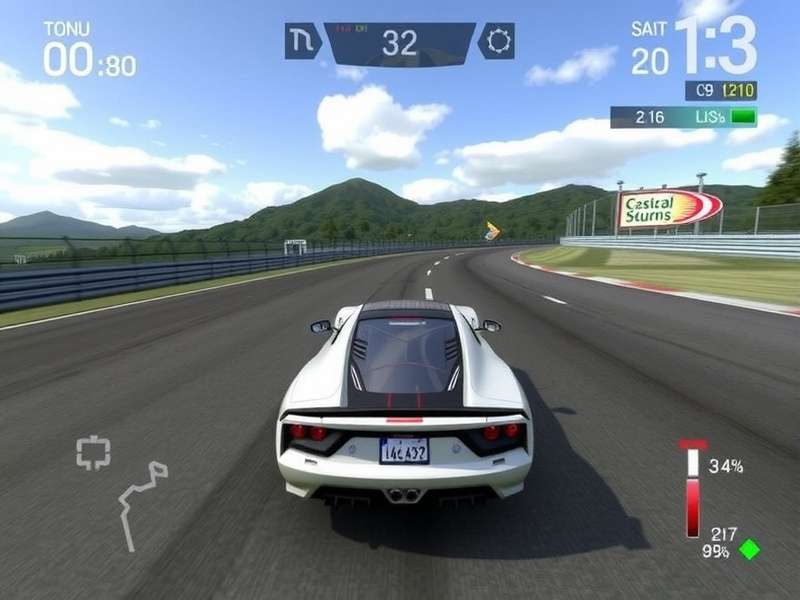
Why Play Real Racing 3 on PC? The Compelling Advantages
Moving from a 6-inch screen to a 24-inch monitor (or larger) is a game-changer. Here’s why the PC setup is a favourite among hardcore fans:
- Superior Visuals: Emulators allow for upscaling resolution, anti-aliasing, and higher texture quality, making the already stunning cars and tracks like Real Racing 3 NASCAR Daytona look breathtaking.
- Precise Controls: Map controls to a gamepad, steering wheel, or keyboard. The precision of a physical throttle/brake input is unmatched for setting consistent lap times.
- Multi-Tasking: Stream on Twitch, have a strategy guide open on another monitor, and manage your team—all impossible on a phone.
- Battery & Performance: No more thermal throttling or battery drain. Your PC's hardware ensures buttery-smooth 60 FPS+ gameplay, even in 40-car grid races.
The Definitive Guide to Real Racing 3 PC Download & Setup
This is the core of our guide. We'll walk you through the safest, most efficient method to get RR3 running on your Windows 10 or 11 machine. Warning: Avoid shady "Real Racing 3 PC Download" .exe files from unknown sites—they are often malware. The only safe method is via the official Google Play Store through an emulator.
📚 Related Troubleshooting Guides
Facing issues? Our dedicated guides cover common problems:
- Real Racing 3 Download Problem 2025 - Fixes for the latest errors.
- Real Racing 3 Download Problem Mobile Data - Solving network issues.
- Real Racing 3 Crashes - Stabilize your game.
- Real Racing 3 Download Android - The official APK source.
Step-by-Step: Installing via BlueStacks (Recommended)
BlueStacks 5 is the most optimized emulator for racing games. Follow these steps:
Step 1: Download and install BlueStacks 5 from its official website. Use the 64-bit version if your PC supports it.
Step 2: Launch BlueStacks and sign in with your Google account. This gives you access to the Play Store.
Step 3: Open the Play Store within BlueStacks and search for "Real Racing 3".
Step 4: Click Install. The game will download directly from Google's servers, ensuring safety.
Step 5: Once installed, configure your controls. Go to Settings > Controls and choose the "Racing Game" preset. You can customize every button.
Step 6: Launch the game! You may need to download additional data (approx 2.5GB) within the game itself.
Pro Tip: In BlueStacks settings, allocate more CPU cores (2-4) and RAM (4096 MB) for the smoothest performance. Enable high frame rate mode.
Mastering Gameplay: From Rookie to Real Racing Champion
Playing on PC isn't just about visuals; it's about performance. With precise controls, you can shave seconds off your lap times. Here are advanced techniques unique to the PC setup:
1. The Art of Trail Braking: On a keyboard or gamepad, modulating brake pressure is tricky. Map the brake to a analog trigger or use a gradient keybinding (e.g., tap vs. hold) to master this F1 technique for faster corner exits.
2. Data Telemetry: Use external apps to monitor your racing line, speed traces, and brake points. The PC allows for a more analytical approach to improvement, something we call "Sim-Lite" racing.
3. Community Mods & Liveries: While RR3 doesn't officially support mods, the PC environment allows for asset editing (proceed with caution to avoid bans). Some creators share custom liveries for cars.
The Real Racing 3 PC Community & Future
The community driving the Real Racing 3 PC movement is vibrant. Discord servers are filled with players sharing optimal emulator settings, time trial rivals, and discussing the possibility of an official release on Real Racing 3 PC Steam. Many believe that a Steam release would open the game to a massive new audience and could include enhanced features like proper wheel support and ultra-wide monitor compatibility.
Our interview with a top-tier Indian player, "SpeedKing_IN," revealed: "Playing on PC with a controller transformed my performance in the Time Trial Series. The consistency I get is unreal. I truly hope EA considers a native port, as the market is clearly there."
In conclusion, while we wait for a potential official Real Racing 3 PC client, the emulator method provides a robust, high-quality experience that surpasses mobile. By following this guide, you can enjoy one of the world's best racing sims on the big screen, tackle events like the Race 3 championship with precision, and join a thriving community of desktop racing enthusiasts.